The Vasa (see Figure 1) is one of the biggest architectural failures of all time. The Vasa was designed to be the most powerful armed vessel in the world - two full gun decks with 72 bronze cannons. Surprisingly, in 1628 this massive vessel sank only 1,400 yards into its maiden voyage because it was too top heavy. The Vasa was built for scale and power but had no agility. Structures built for scale or speed require different architectural strategies. Agile teams also require different team structures to achieve either scale or performance. Let's discuss the differences.
Scaling Agile
A Team of Teams strategy (see Figure 2) is an ideal structure for scaling agile. Refer to my 2-part series on Team of Teams to learn more about the key ingredients for scaling agile and several strategies we can implement to build more scalable agile teams.
Figure 2. Team of Teams structure for scaling agile
High-Performance Agile
Do you see any short-term limitations that will reduce performance in the Team of Teams diagram? It's the lines that represent communication. For example, would that diagram be easy to maintain if it was a dependency diagram? No, the overall coupling would be very high. That diagram violates the Law of Demeter and as a result becomes less efficient and more difficult to maintain. Am I saying a Team of Teams strategy is wrong? Not at all, the benefits out weight the disadvantages. However, if your organization has a business driver to complete a short-term project in record time our team structures must adapt to gain maximum team performance.
Figure 3. Decoupled team structure for high-performance agile
When speed becomes the #1 business driver for a short-term project a decoupled team structure (See Figure 3) promotes less distractions, more dedicated focus time, and higher quality. Furthermore, the team size is actually scaled down to reduce communication dependencies. To achieve more performance with fewer resources teams often employ higher skilled resources that are capable of handling multiple roles within the team.
How many concurrent users can your infrastructure handle? Do you know when your most critical features have regressed in performance? Will your website survive a Denial of Service attack? If you are unsure, Gatling's lightweight and powerful capabilities will help answer these questions.
Advantages of Gatling
Gatling is load testing as code which is ideal for integration with DevOps, Continuous Integration, and build tools.
Simulate thousands of requests per second against your APIs and applications.
Identify or troubleshoot performance and load issues.
Are your APIs and website C10k compliant? Determine how many concurrent users your infrastructure, APIs, and applications can handle.
Test your public APIs and applications against Denial of Service attacks.
Automatically generates an exhaustive, dynamic, and colorful report with high-precision metrics.
Performance is measured in percentiles which is more reliable than averages.
$GATLING_HOME/user-files/simulations (directory for your Scala load tests)
$GATLING_HOME/user-files/resources (directory for your users.csv file if you need a load test with multiple unique authenticated users)
Running your first load test (5 minutes)
Copy/Merge the user-files directory from my GitHub repo to your local $GATLING_HOME directory. The $GATLING_HOME directory will be your Gatling download directory. Refer to the user-files/simulations directory for tests.
Run Gatling locally as a standalone application by running the following command:
On Linux/Unix: $GATLING_HOME/bin/gatling.sh
On Windows: %GATLING_HOME%\bin\gatling.bat
Gatling will prompt a few questions:
Which test to run? Choose any test simulation to run.
Enter an optional test description? Hit enter to skip.
When the simulation is done, the console will display a link to the HTML reports.
Load Test Examples
Refer to the user-files/simulations directory for test examples. I have a few authenticated and unauthenticated load tests for REST APIs and a website. The authenticated tests refer to user data (users.csv). The Gatling installation also has several load tests for Web applications (refer to tests in $GATLING_HOME/user-files/simulations/computerdatabase).
Load test reports are automatically generated in $GATLING_HOME/results when your load test completes. Refer to the console when your test finishes for the full path. Gatling creates beautiful charts!
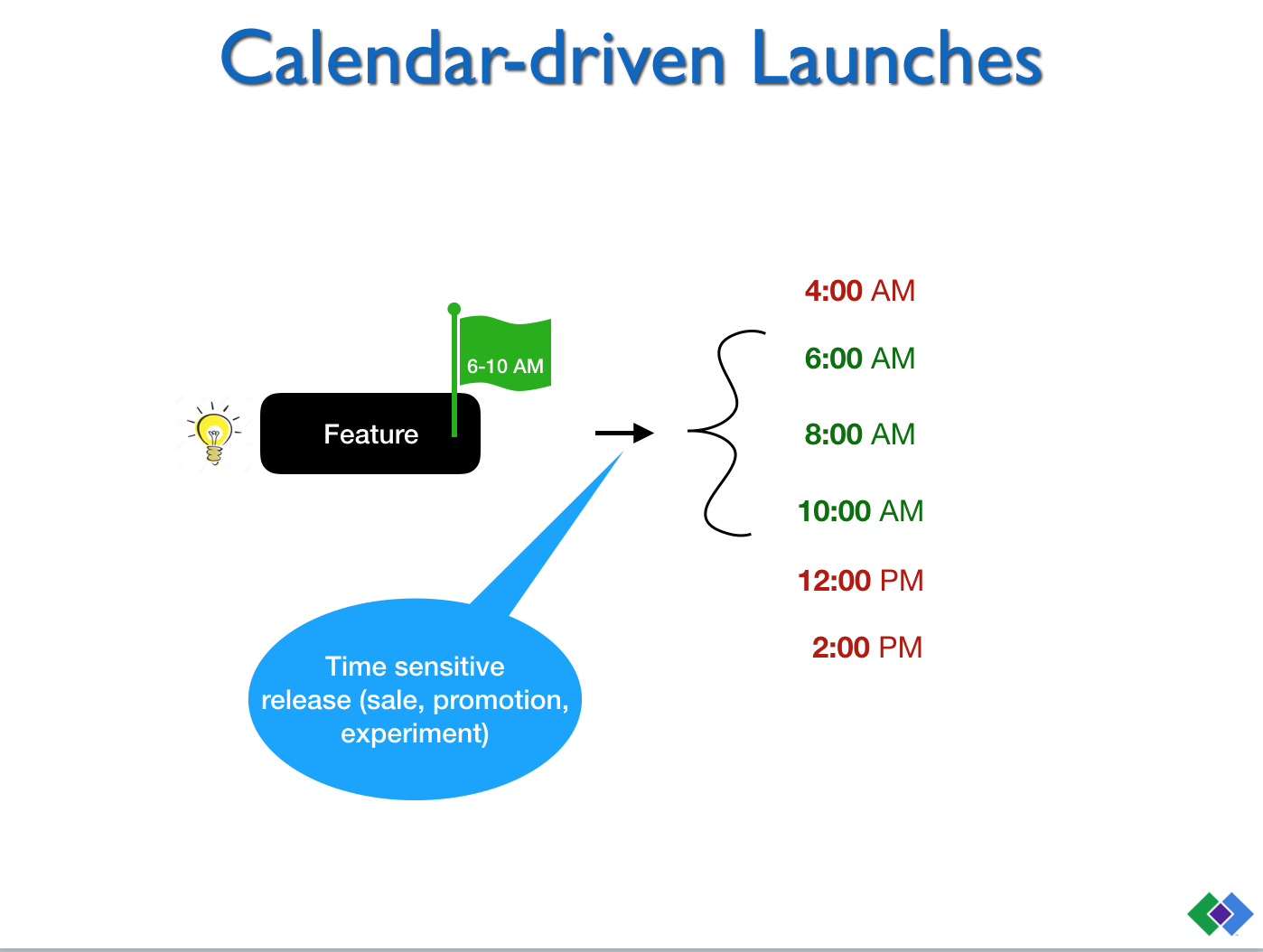
Feature flags are ways to control the full lifecycle of your features. They allow you to manage components and minimize risk. You can do pretty cool things like roll out features to certain users, exclude groups from seeing a feature, A/B test, and much more. Basically, deploy when you want and release when you’re ready. In this In this presentation we'll discuss the following topics:
If a Team of Teams methodology can win a war on terrorism imagine the benefits our IT organizations would gain by applying its principles to software development. This article is part 2 in my series on Team of Teams. Part 1 highlights General McChrystal's transformation to a Team of Teams and its benefits. Part 2 focuses on strategies we can adopt to help transform IT organizations into software development Team of Teams.
Which intersection below most closely resembles a Team of Teams? A free flowing intersection with self-driving cars (see Figure 1) or a traffic light controlled intersection with traditional cars (see Figure 2)?
Comparing self-driving vs traditional cars from a Team of Teams perspective
Self-drivingcars
Traditionalcars
Notes
SharedConsciousness
Yes
Limited
Self-driving cars are constantly communicating their route and speed in realtime. Traditional cars are limited because they can only communicate their route via turn signals.
Trust
Yes
No
Self-driving cars have trust because of their constant sharing of accurate information. It's difficult to trust traditional cars because they are unpredictable and have limited information sharing.
Empowerment
Yes
No
Self-driving cars are empowered to proceed full-speed through the intersection because of their shared communication and trust. Traditional cars must wait for a green light (command structure) to proceed due of their limited trust and information sharing.
Why Software Development Team of Teams?
How efficient is your team able to release a small task to production? After adopting a Team of Teams methodology the General’s teams were able to go from intel to strike within an hour. Their efficiency gains allowed them to execute 17 times more raids per month. Our goal should be the same - from requirement to release within a few hours resulting in 17 times more releases a month. Let's review the top strategies we can apply to build stronger and more efficient software development Team of Teams.
Bake craftsmanship (continuous improvement) into the process
Do you think the General's teams didn't train, condition or workout? It's part of their lifestyle and built into their process. I classify craftsmanship in two categories: training and refactoring (enhancements, defects). The The Phoenix Project ( p229) recommended an allocation of 20% for continuous improvement activities. Create a backlog exclusively for these types of tasks and empower your teams to continuously improve their skills, process, and software.
Reduce batch size
When the task force launched a mission their goals were small, precision strikes. Small strikes improved their frequency (10 strikes a day). If your teams are fortunate enough to have the efficiency of a CI/CD pipeline then the only limiting factor to daily releases is batch size. Try releasing at least every iteration or more often (daily). Frequent releases promote speed to market, reduce risk, are simpler to manage, and produce quick wins building team morale. Teams must be empowered to reduce batch size. CI/CD pipelines provide little value if releases are monolithic.
"Power up" to improve team health
Have you ever played Fortnite? Many of the team strategies applied in this battle royale game apply well to software development. One strategy in particular is the “power up” strategy or boosting your teammates health when they are running low. On a software development team we can boost the health of the overall team by information sharing and paired programming. The most effective team I have been on was a client project in 2003. This project had around 30 developers and we were required to pair program 100%. Pairs needed to rotate drivers and a new partner was required for the the morning and afternoon sessions. Software quality was very high and knowledge sharing with a new partner was an effective way to "power up" the resources across the team. Paired programming improves craftsmanship (continuous improvement), reduces defects, improves information sharing, and builds trust.
Transparent leadership
Having a transparent leader that posts frequently on Twitter isn't all bad. Has our president read Team of Teams? General McChrystal said his transparency (all calls on speakerphone and O&I briefings with thousands) saved many lives. In addition, his transparency greatly improved trust and shared consciousness across all teams. Perhaps we should try the same techniques. Would transparency and trust improve if we removed all cubicle walls, removed all office doors, replaced all phones with speakerphones, and made everyones calendar transparent?
Build a liaison program
A liaison program was General McCrystal's primary strategy for building trust across his teams. From a development perspective, liaison programs are opportunities to join other teams for short-term projects or assignments. In addition to improving trust these opportunities also expose developers to alternative coding practices, techniques, and team dynamics. Furthermore, moving cheese or trying new cheese often sparks new learning and growth opportunities from a team and individual perspective. Teams without a mature shared consciousness will be very resistant to this type of change highlighting a flaw within their own team. Anyone adopting new cloud or platform technologies? What better way to learn than actually join their teams for several iterations.
Continuous gardening
Managers have the most important role in regards to tending our Team of Teams. In particular, they need to provide water, fertilizer, and weed control for the resources across the teams:
Water - growing trust and transparency. Water is the most important ingredient. A garden will not survive without water and a Team of Teams will not exist without trust and transparency.
Fertilizer - building "power up" opportunities for resources to learn and grow. Resources won't reach their full potential if they are not given the opportunity to grow and learn. In addition, incentivize developers to attend conferences or meetups, watch YouTube developer channels, or contribute to open source.
Weed control - eliminate rubber stamps and command structures that reduce team productivity. Without weeds teams will become more empowered and efficient.
Build an empowerment radar
Does your team have high, medium or low empowerment? Document rubber stamps, command structure decisions, and shared consciousness limitations that impede a free flowing software development life cycle. Then, tend the garden to remedy those limitations. Remember, empowerment fuels motivation - an individual or team who makes a decision becomes more invested in its outcome. The goal is to eliminate these impediments so your team can become as efficient as self-driving cars.